
To be honest, at first I thought productivity apps were just a trend. I used to think, “Write a diary, set an alarm, what else do you need?” But when the work pressure started increasing, deadlines started getting missed and at the end of the day it felt like not much work had been done, then I started seriously trying productivity apps. Gradually I realized that using the right apps makes life easier, just don’t overuse them.
In this blog, I’ll be sharing productivity apps that I’ve used myself , that are most commonly used and trending these days, and that actually work in real life. The language is kept simple, as if I were suggesting them to a friend.
1. Google Keep – Best for Simple Notes
My day is incomplete without Google Keep. Quick ideas, grocery lists, blog topics – I write it all down. My favorite features of this app are the color coding and reminders. If something comes to mind, just make a note immediately. No tension.
Personal experience: I have seen many times that when the idea is written down, the mind automatically becomes a little free.
2. Todoist – Trending App for Task Management
If you like making to-do lists, Todoist is the perfect app. It makes daily, weekly, and monthly tasks easily manageable. Even the free version is quite useful.
Personal touch: I get satisfaction from ticking and honestly, it motivates me to do more work.
3. Notion – All-in-One Productivity Tool
Notion is the most popular and trending productivity app today. Notes, task list, habit tracker, content planner – all in one place.
My experience: It was a little confusing at first, but once I got used to it, it felt like I had found a digital planner. I do my blog ideas and planning in Notion.
4. Google Calendar – Time Management ka King
Simple, free, and super effective. Meetings, deadlines, reminders – everything is easily planned.
Why I love it: I block out every important task on my calendar. This reduces procrastination and increases respect for time.
5. Forest App – To Improve Focus
If you’re worried about phone addiction, Forest is an amazing app. As long as you focus, a virtual tree grows. If you use your phone, the tree dies.
Personal experience: This app teaches me to focus on an emotional level I keep my phone aside to save trees.
6. Microsoft To Do – Simple aur Clean Interface
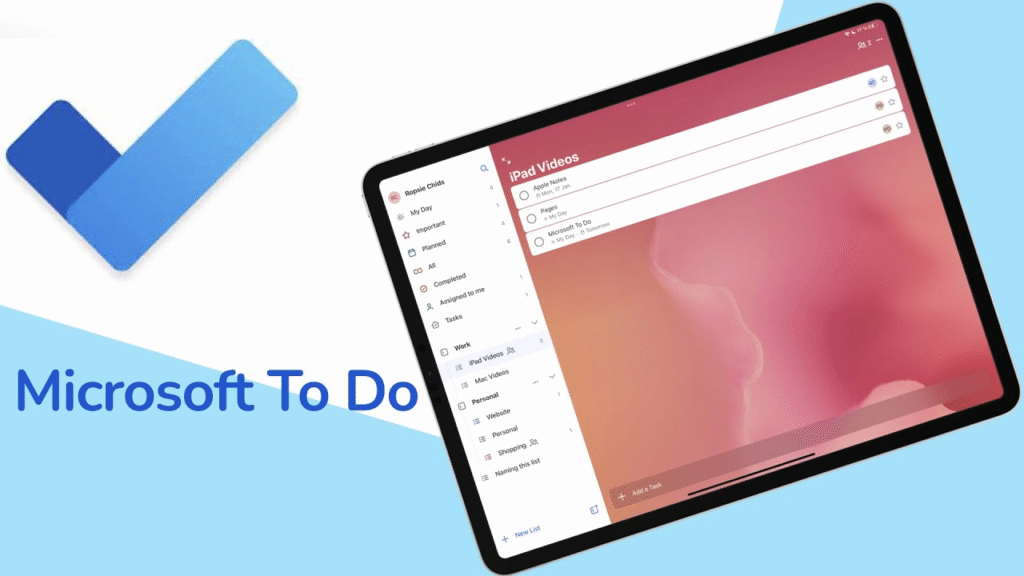
This app is best for those who don’t want complicated features. Simple and effective for daily tasks.
My use: I use it for daily routine – like exercise, water intake, and small tasks.
7. Evernote – for detailed notes
Evernote is a popular tool for storing long notes, ideas, and references. It’s useful for both students and professionals.
Personal thought: If you do research or learning-based work, then this app can become your best friend.
8. Trello – Visual Task Planning
Trello uses the concept of boards and cards. It’s very trending for those working with teams.
My experience: When I have to handle multiple projects, Trello gives me a clear picture of which task is at which stage.
9. Grammarly – for Writing Productivity
This isn’t just a grammar app, it’s also a great time saver. It’s a great help when writing emails, blogs, and captions.
Personal Touch: It gives me confidence that what I’m writing looks professional.
10. Clockify – for Time Tracking
If you’re a freelancer or want to track your work hours, Clockify is the best app. Even the free version is quite powerful.
My use: This app made me understand where I waste my time and where I am productive.
11. Canva – Creative Productivity App
Almost every creator uses Canva today. Designs, presentations, social media posts – everything is easily created.
Personal experience: Earlier I used to depend on other people for design, now I have become confident myself.
12. Google Drive – File Management Made Easy
Documents, photos, spreadsheets – sab kuch safe aur accessible.
Why it matters: Having all files in one place makes work smoother and reduces unnecessary stress.
How These Apps Changed My Routine
I used to spend a lot of energy remembering tasks. Now I trust the system. Productivity apps don’t mean you work 24/7, but rather you work smarter and save time.
My personal rule is: Use every app, but don’t let every app control your life.
Final Thoughts
These best productivity apps aren’t just for trendiness, they solve real-life problems. You don’t have to use all the apps. Just choose 2-3 apps that genuinely improve your routine.
Productivity doesn’t mean being busy, it means being balanced. Even if one app makes you a little more focused and calm, that’s enough.
All apps and software mentioned in this blog are based on my personal usage and experience. Productivity varies from person to person, so the impact of an app may vary depending on your work style and needs. Be sure to check your requirements and privacy settings before downloading or using any app.
#ProductivityApps #BestApps2025 #TrendingApps #WorkSmarter #TimeManagement #FocusApps #DailyProductivity #UsefulApps #TechLifestyle #DigitalTools #AppsForWork #ProductivityTools #SmartWorking #MobileApps#Carrerbook#Anslation