
These days, whether you’re handling studies or professional life while living in the USA, software tools have become an important part of the daily routine. When I first started my work-study routine in the US, I was confused about which software to choose and which to avoid. The prices seemed high, and seeing the premium version of every app genuinely led to confusion. But slowly, through trial and error, I found some budget-friendly tools that still make my daily workload much easier.
In this blog, I am sharing those personal learnings—the affordable software that provides the best value for both students and professionals in the USA.
1. Google Workspace — The Free Tools I Can’t Live Without
When I shifted to the US, the first shock was seeing how almost every college project happens through Google Drive. Earlier, I was used to Microsoft Office, but the simplicity and zero-cost ecosystem of Google Workspace instantly impressed me.
- Google Docs was perfect for me when I had to do group assignments.
- Google Sheets has been very handy for basic budgeting, class schedules, or client work tracking.
- Google Slides made my presentations stress-free.
The biggest thing—it is free, and 15GB of storage lasts for a considerable time. For students, it feels like a life-saver.
2. Canva Free + Pro (Student Discount) — Design Made Possible
Design skills matter a lot when creating presentations, resumes, or social media content in the US. I first used Canva when I had to make an infographic for a class project. Believe me, that infographic came out so clean in 20 minutes that the professor gave special appreciation.
Why Canva is budget friendly in the US:
- The Free version is very powerful.
- If you are a student, you get Canva Pro free through education access.
- Templates are regularly updated according to US design trends.
For professionals, Canva is also an affordable tool, especially if you freelance or want to maintain online branding.
3. Notion — My All-in-One Digital Brain
Initially, I thought Notion was only for content creators. But when I shifted my study planner to Notion, I realized how much time I was wasting with random sticky notes and scattered files.
Notion is genuinely very popular among US students. In the library, in coffee shops—almost everyone can be seen tracking assignment goals or research notes on Notion.
What I personally use it for:
- Daily to-do lists
- Client projects
- Class notes
- Monthly budgeting
- Portfolio building
And the best part—the basic plan is free and extremely powerful.
4. Grammarly — The Writing Tool That Saved My Grades
Writing standards in the US are slightly different from Indian universities. Here, clarity, grammar, tone, and flow matter a lot. When I submitted my first research paper, the professor gave me feedback that clarity could be improved. That’s when I started using Grammarly.
Honestly, Grammarly took my writing to the next level.
- Emails
- Assignments
- Cover letters
- Blog writing
- Internship applications
It automatically improves tone and grammar in everything. The free version is enough if you do daily writing. Premium might seem slightly expensive compared to India, but students get discounts, which are very helpful.
5. Zoom — Still the Most Reliable Free Tool
Even though it might be a 2020 trend, Zoom is still a must-have tool for US students and professionals. I have attended classes many times where Zoom’s simplicity made life easy. Microsoft Teams or Google Meet are good too, but Zoom’s free version still seems unbeatable:
- 40-minute free meetings
- Stable connection
- Easy screen-sharing
- No complicated setup
In remote jobs, internships, and online courses—Zoom’s role is still strong today.
6. Trello — Best Free Project Management Tool
When I did my first team internship in the US, I understood the concept of Trello. A simple drag-and-drop board where I would shift my tasks into “To Do,” “Doing,” and “Done.” It felt so satisfying when the “Done” column was full.
This is perfect for professionals:
- Tracking client projects
- Managing deadlines
- Team coordination
And for students:
- Study plans
- Assignment workflow
- Group projects
Trello’s free version covers 90% of needs, which is a huge bonus.
7. LibreOffice — A Free Alternative to MS Office
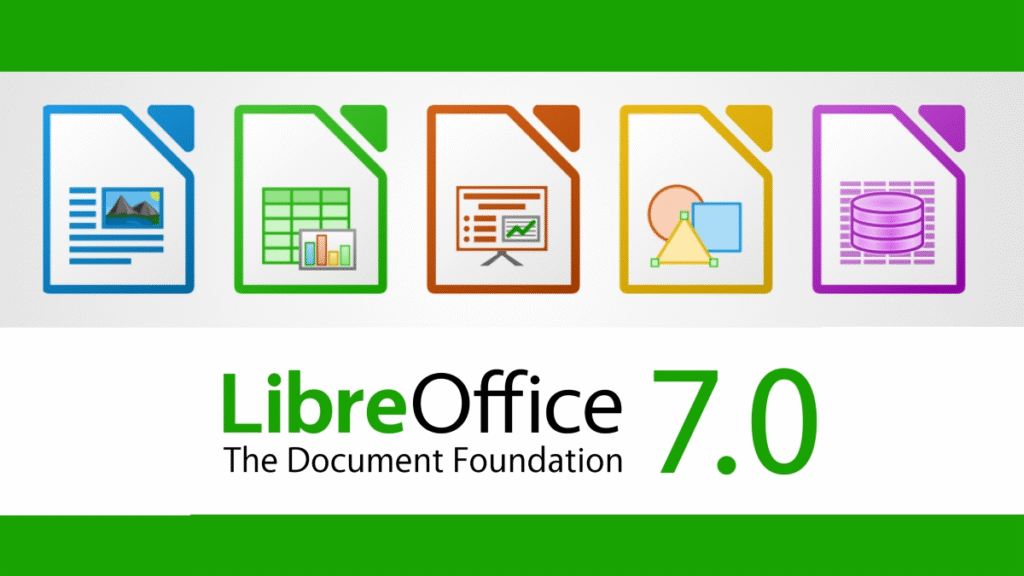
If affording Microsoft Office is difficult, but you regularly use word processing and spreadsheets, then LibreOffice is genuinely a great solution.
Many people in the US prefer it because:
- Fully free
- Offline use possible
- Easily opens MS Office file formats
I used LibreOffice purely for one semester, and honestly, there was no major issue.
8. Dropbox Basic — Simple, Fast & Reliable
Along with Google Drive, Dropbox is also a widely used software, especially for professionals.
Although the free storage is limited (2GB), the sharing speed and file syncing are extremely fast. When I worked with my design clients, Dropbox made file transfers very easy.
Dropbox is a quite common tool in the US digital work culture, so using it is helpful.
Final Thoughts — My Honest Experience
If you are in the USA—a student or a working professional—choosing budget software is actually easy if you use the right tools. The most helpful tools in my personal journey were always those that were free or discounted.
I feel that the right tools matter more than expensive tools. Even today, I regularly use free or low-cost apps like Canva, Notion, Trello, Google Workspace, and Grammarly. They have improved my productivity, writing skills, and project organization.
If you are new to the USA or confused about software purchases, I hope my personal experience-based list will be useful to you.
This blog is based entirely on my personal experiences as a student and professional living in the USA. Software performance, pricing, and features may change over time. Before purchasing or subscribing to any tool, please check the official website or latest plan details. I do not have any paid partnership or sponsorship with the brands mentioned—this content is purely for informational and educational purposes.
#BudgetSoftwareUSA #BestApps2025 #StudentToolsUSA #AffordableSoftware #ProductivityApps #USATechTrends #StudyToolsUSA #ProfessionalToolsUSA #TechForStudents #BudgetFriendlyApps #DigitalToolsUSA #NewTech2025#Carrerbook#Anslation