
I usually don’t rush to install software updates the moment they arrive. Like many people, I wait a bit—mainly because I’m worried about battery drain, bugs, or apps misbehaving. But this time, when Apple released iOS 26.2 and macOS 26.2, I didn’t delay. I updated my iPhone and Mac almost immediately, and honestly, I’m glad I did.
This wasn’t just another “minor update.” It was a security-focused update that fixed two zero-day vulnerabilities, which means these issues were already being exploited before Apple patched them. As a regular Apple user, that sounded serious enough for me to act fast.
This blog is written from my personal experience as an everyday iPhone and Mac user, in simple language, explaining why this update matters and what it actually means for people like us.
What Made This Update Feel Urgent to Me
Normally, update notes feel boring—“performance improvements” or “minor bug fixes.” But when I read the words “zero-day vulnerabilities,” it caught my attention.
In simple terms, a zero-day vulnerability means:
- Hackers already know about the flaw
- Apple didn’t have time to warn users earlier
- Your device could be at risk without you doing anything wrong
That realization made me uncomfortable. I use my phone and laptop for everything—banking, emails, passwords, photos, and work. Ignoring such an update suddenly felt irresponsible.
My Experience Updating to iOS 26.2
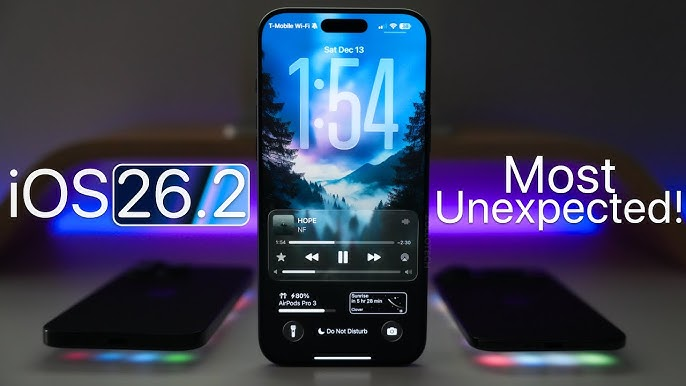
I updated my iPhone first. The process was smooth and didn’t take too long.
What I Personally Noticed:
- No sudden battery drain
- Phone felt stable and responsive
- No major app crashes after the update
From a user point of view, iOS 26.2 didn’t change how my phone looks, but it definitely changed how secure it feels.
What iOS 26.2 Fixes (In Simple Words):
Apple addressed security flaws that could allow:
- Unauthorized access to system data
- Malicious apps to gain higher control
- Hackers to exploit system-level weaknesses
These aren’t problems you “see,” but they’re the kind that silently put your data at risk.
Why iOS Security Matters More Than We Think
I used to believe iPhones were automatically safe. Over time, I realized no device is 100% secure—even Apple devices need regular protection updates.
iOS 26.2 focuses heavily on:
- System-level security
- Memory protection
- Blocking unauthorized code execution
For someone like me, who uses public Wi-Fi occasionally and stores sensitive data on their phone, this update felt like adding an extra lock to my digital life.
My Experience Updating to macOS 26.2
After updating my iPhone, I didn’t hesitate to update my MacBook as well.
The macOS 26.2 update took a bit longer, but that’s normal for Mac updates.
What I Observed:
- System performance remained smooth
- No issues with daily-use apps
- Laptop felt just as stable as before
Again, this wasn’t about new features—it was about safety.
What macOS 26.2 Fixes and Why It’s Important
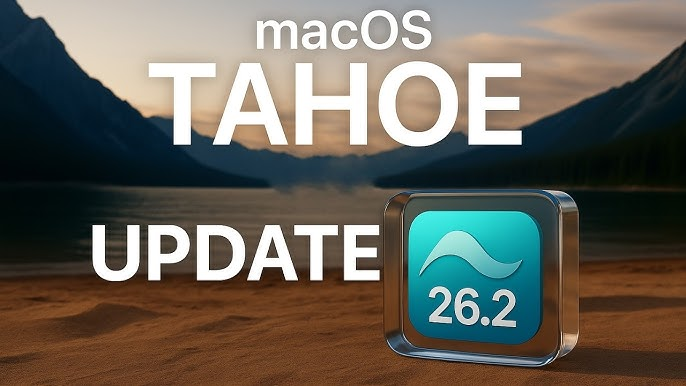
MacBooks are often targeted more than we realize, especially because they store a lot of personal and professional data.
macOS 26.2 fixes vulnerabilities that could:
- Allow attackers to gain elevated system privileges
- Bypass certain security protections
- Exploit weaknesses in system processes
As someone who works on my laptop daily, knowing these loopholes are closed gives real peace of mind.
Why Updating Both Devices Matters
One thing I’ve learned is that our devices are connected. My iPhone and Mac sync data, passwords, photos, and messages. If one device is vulnerable, the risk spreads.
Updating both:
- Strengthens the Apple ecosystem security
- Reduces chances of data leaks
- Keeps personal and professional information safer
Ignoring one update while installing the other doesn’t make sense anymore.
Common Reasons People Avoid Updates (And My Honest Take)
I’ve been guilty of postponing updates, so I understand the reasons:
- “It will slow down my device”
- “It might cause bugs”
- “I’ll do it later”
But after installing iOS 26.2 and macOS 26.2, none of these fears came true for me. Instead, I felt more confident using my devices.
Security updates are not about convenience—they’re about protection.
Apple’s Fast Response Deserves Credit
One thing I genuinely appreciate about Apple is how quickly they respond when serious security threats are discovered.
The fact that:
- Apple identified the issue
- Acknowledged active exploitation
- Released patches promptly
…shows how seriously they take user security. As a long-time Apple user, this builds trust.
What Happens If You Don’t Update?
This is the uncomfortable part.
If you skip this update:
- Your device may remain exposed to known attacks
- Hackers could exploit vulnerabilities silently
- Your personal data could be at risk without any warning
For me, that risk wasn’t worth taking—especially when updating was easy and smooth.
My Final Thoughts
After installing iOS 26.2 and macOS 26.2, I didn’t notice flashy features or dramatic changes—and that’s okay. This update is not about appearance; it’s about security and safety.
From my personal experience:
- The update is stable
- It doesn’t disrupt daily usage
- It significantly improves protection
If you’re using an iPhone or Mac and you’ve been delaying this update, I genuinely recommend installing it right now. In today’s digital world, staying updated is one of the simplest ways to protect yourself. Sometimes, the most important updates are the ones you don’t immediately see—but you’ll be glad you installed them.
This blog is based on personal experience and publicly available information at the time of writing. Software update performance, security impact, and features may vary depending on device model, usage patterns, and system configuration. Users are advised to back up their data before installing any software update.
#AppleSecurity #iOS262 #macOS262 #ZeroDayVulnerabilities #AppleUpdate #CyberSecurity #iOSUpdate #macOSUpdate #DataProtection #TechSecurity#Carrerbook#Anslation